New in SiO
How do I connect to the internet? When do I need to pay my first rent? Here you can find answers to some of the most common questions newcomers to student housing often have.
Storage
If you have a storage unit outside your residence, you typically find it in the basement, attic, or in the corridor on the floor you live on. You can easily identify the correct storage unit by looking for the one marked with your room number, for example "H0304."
Remember to secure your storage unit with a sturdy padlock!
Fire safety
When you live in student housing with us, it is important for you to familiarize yourself with what to do if the fire alarm goes off.
It is also important that you become acquainted with evacuation routes, emergency exits, and firefighting equipment where you live.
What to Do If the Fire Alarm Goes Off
Alert: If you discover fire or smoke, you should alert other residents, activate the fire alarm and call 110
Extinguish: Try to put out the fire if it is small
Evacuate: Leave the building calmly using the stairs and help others. Go to the assembly point
If you encounter smoke, stay in your room and call 110
How to avoid triggering the fire alarm
When the alarm goes off, it is usually caused by cooking. Here are some tips to avoid that the alarm accidentally goes off in your residence or common kitchen.
Rent
The rent must be paid in advance, and is due on the 1st of each month.
The exception is the month you move in, and sometimes the month after, where the rent is paid later.
You will receive the invoice from us by e-mail, direct debit or e-invoice around the 17th of each month. You can also find the invoice on My page under Finances. Remember to update your e-mail and mobile phone number on My page.
House rules
In the house rules, you can find useful information about:
Visits and overnight stays
Rules for peace and order
Cleaning rules
Home Contents Insurance
You must have your own home contents insurance when living in student housing. You are not insured through SiO.
You can check if you are insured through your parents insurance, an organisation you are a member of or buy your own insurance. Many insurance companies offer reasonable insurances to students.
Internet
To connect to wifi, you need to get your own router. Connect the router to the internet outlet in your residence. Log into the router with the name and password for your router.
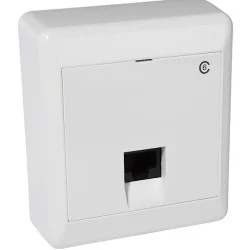
If you want, you can alternatively connect your computer directly to the internet, using a network cable from the wall socket.
My page
On My page you can find useful information about your lease, such as:
Information about your accommodation
Your contract
Overview of bills and account information
Information about SiO's caretaker service and practical self-help tips
Keys
You must hold your access card to a lock for a few seconds to lock/unlock a door.
If you use your card on five doors you do not have access to, the card will be blocked.
Parking
APCOA rents out parking spaces at many of our student houses. You can get a student discount when you rent with us.
There are parking spaces at Bjølsen, Blindern, Carl Berner, Grünerløkka, Iladalen, Kringsjå, Lillo, Nedre Ullevål 7-9, Pilestredet Park, Rodeløkka, Stensbergsgata, Sofienberg, Sogn, St. Hanshaugen and Vestgrensa.
Post
For mail to be delivered to your student residence, you must report your address to Posten and your contacts.
Please make sure to report you name, street address, and room number. You must also mark your mailbox with your name.
Remember to report your new address and mark your new mailbox if you are moving from one SiO-residence to another.
Cohabitant
In SiO, a cohabitant does not have the same rights as the tenant. This means, among other things, that a cohabitant:
Cannot view or modify the tenancy
Does not have access to My Page
Does not receive information from SiO
Cannot report issues to the caretaker
Cannot collect keys upon moving in (but see authorisation)
The tenant can grant authorisation to the cohabitant to collect keys or be let into the apartment. Click the link below to learn more.
Waste and recycling
Remember to separate all waste for recycling. Think about the environment and learn how to sort waste where you live!
Caretaker
If you notice any damage or missing things in your accommodation or the common areas, please contact the caretaker on My page. If you have just moved into your student residence, it is important that you notify us immediately. Then we will be able to follow up the case quickly and help you.
Did you know that there are many things you can actually fix by yourself? On My Page, we have compiled many useful self-help tips.
You can also call 22 85 32 00 around the clock for urgent matters.
Laundry
In some student accommodations, there is a washing machine or connections for a washing machine. In cases where this is not available, you can launder your clothes in the communal laundry room.
You can use the communal laundry room by downloading the AppWallet app. In the app, you can pay for laundry services and check for available machines. There will also be an option to make payments at a separate payment terminal in the laundry room.